SocialBee
Checked 14 Nov 2026 · source · 10 networks · API no · AI yes
Read the full SocialBee review › What it really costs, pros and cons with evidence, and what users report. Updated 16 Nov 2026.Small businesses that want category-based evergreen content recycling with an AI copilot.
You need a public API or a free plan. SocialBee offers neither.
Overview
SocialBee's centre of gravity is the content category. You file posts into categories, set a schedule for them, and recycle or expire posts by date or share count. Plans are tiered by social profiles, and users and workspaces are capped inside each tier. The six tiers run Bootstrap (5 profiles), Accelerate (10), Pro (25), then Pro50, Pro100 and Pro150 up to 150 profiles and 30 workspaces.
The first thing I would check is users. Bootstrap and Accelerate include 1 user and 1 workspace, so approvals, which start on Accelerate, have no second person to route to unless you buy an extra user at $10 per month or $100 per year. Internal notes are on Pro and the agency plans only. Pro includes 3 users per workspace and 5 workspaces. Bootstrap also lacks CSV upload, the bulk editor, the hashtag organizer and advanced analytics, and keeps 3 months of analytics history against 2 years on higher plans.
There is no public API on the pricing or integrations pages; automation goes through Zapier, Make or Pabbly. SocialBee links a status page at status.socialbee.com, but it loads by JavaScript and showed no content when read. I could find no SOC 2, ISO 27001 or SSO, and Trustpilot shows no reviews.
Direct publishing is not universal. Facebook Groups, Mastodon, Quora, Telegram, Reddit and WhatsApp go through Universal Posting, which sends a phone reminder, and those networks are outside the directory's network list. Instagram Reels auto-publish only for Business accounts; Reels from Creator and personal accounts go through reminders, while feed posts and Stories auto-publish for Business and Creator accounts. TikTok direct posting is one MP4 or MOV under 3 minutes and 50 MB, with multiple videos and image posts going through reminders.
What it does well
- Evergreen handling is the main reason to pick it: recycle posts, expire them by date or number of shares, and keep a category-based calendar.
- Scheduled first comment covers Facebook Pages, Instagram, LinkedIn and YouTube, with a different comment per profile.
- AI content generation is stated as unlimited on every plan, with no credit system.
- The social inbox is on all plans, and the agency tiers scale to 30 workspaces.
- Extra profiles, users and workspaces have flat add-on prices, so you can grow a bit without a full tier jump.
What to watch out for
- There is no free plan and no public API.
- Bootstrap and Accelerate include one user, and Bootstrap lacks post approval, the bulk editor and CSV uploads.
- TikTok image posts and multi-video posts fall back to reminders, and first comment is not available for X, TikTok, Pinterest or Bluesky.
- The help center articles would not load for me, so some facts (white label, API statement, LinkedIn detail) rest on search snippets and vendor pages rather than on the articles.
Plans and prices
| Plan | Billed monthly | Billed annually, per month | Unit | What you get |
|---|---|---|---|---|
| Bootstrap | $29 | $24.17 | per month | 5 social profiles, 1 user, 1 workspace |
| Accelerate | $49 | $40.83 | per month | 10 social profiles, 1 user, 1 workspace |
| Pro | $99 | $82.50 | per month | 25 social profiles, 3 users/workspace, 5 workspaces |
| Pro50 | $179 | $149.20 | per month | 50 profiles, 5 users/workspace, 10 workspaces |
| Pro100 | $329 | $274.20 | per month | 100 profiles, 5 users/workspace, 20 workspaces |
| Pro150 | $449 | $374.20 | per month | 150 profiles, 5 users/workspace, 30 workspaces |
Free plan: No free plan; 14-day free trial on all plans
SocialBee's price follows profile count, then seats. Monthly rates are $29, $49 and $99 for the three small tiers, then $179, $329 and $449 for agency tiers. Annual billing is about 16% cheaper. The jump from Accelerate ($49) to Pro ($99) is the first that adds more than one user, and the cheap tiers are really single-person plans. Extra users are $10 per month, extra workspaces $10, and 5 extra profiles $15, so a team of three on Accelerate would pay for two extra users and still lack internal notes. The entry price stops being true when a second person or a client workspace arrives. A stale promo code on the page should be ignored.
Networks listed by SocialBee
- Supports Facebook
- Supports Instagram
- Supports X
- Supports LinkedIn
- Supports TikTok
- Supports YouTube
- Supports Threads
- Supports Bluesky
- Supports Pinterest
- Supports Google Business
- Does not support Mastodon
What SocialBee does on each network
Only what the vendor's own pages state. A blank cell means the pages do not say.
| Network | Post types | Publishing | First comment | Analytics | Inbox |
|---|---|---|---|---|---|
| textimagegifvideoreelstory | Mixed | Yes | Yes | Yes | |
| imagevideocarouselreelstory | Mixed | Yes | Yes | Yes | |
| X | textimage (up to 4)video (up to 2:20) | Auto-publish | No | Yes | Yes |
| Auto-publish | Yes | Yes | Yes | ||
| TikTok | videoimage (up to 12 via reminders) | Mixed | No | Yes | |
| YouTube | videoshort | Yes | Yes | Yes | |
| Threads | textsingle imagevideocarousel | Auto-publish | Yes | Yes | |
| Bluesky | textimage (up to 4) | No | |||
| image Pinvideo Pin (up to 10 minutes)carousel (up to 5 images) | No | Yes | |||
| Google Business | text (updates, offers, events)imagevideo from a YouTube link | Auto-publish | Yes | ||
| Mastodon | Phone reminder |
- Needs: Pages publish directly; personal profiles need a mobile reminder; Groups via Universal Posting (Facebook page). CONFLICT: the pricing table lists Facebook profiles, pages and groups under direct posting
- Limits: Page does not mention carousel posts; no Facebook-specific limits stated
- socialbee.com
- Needs: Professional (Business or Creator) and Personal accounts connectable; feed posts and Stories auto-publish for Professional accounts, Personal accounts get reminders (Instagram page); Reels auto-publish for Business only, Creator and Personal Reels by mobile reminder (Reels page); pricing table lists Instagram business and personal under direct posting; analytics need connection through a Facebook Page
- Limits: Carousels up to 10 images or videos; Reels under 15 minutes, 9:16, MP4/MOV 1080x1920 or higher (2026-01 blog); up to 5 collaborators; location tags Business only; custom Reel thumbnails
- socialbee.com
- X
- Limits: Text 280 characters; up to 4 images; video up to 2 minutes 20 seconds; no native first comment on X per SocialBee first comment article
- socialbee.com
- Needs: Personal profiles and Company Pages
- Limits: Audience country and industry analytics for Company pages
- socialbee.com
- TikTok
- Needs: Account type requirement not stated
- Limits: Direct: one MP4 or MOV under 3 minutes and 50 MB; multiple videos and up to 12 images go through Reminders; comments, duets, stitches toggles; privacy control; custom cover
- socialbee.com
- YouTube
- Limits: Integrations page: schedule videos and Shorts, monitor comments; demographic distribution by country in analytics
- socialbee.com
- Threads
- Limits: Post types section lists text, single images, videos and carousels; the page FAQ lists text, images and links
- socialbee.com
- Bluesky
- Limits: Text and image posts only (vendor FAQ: "currently supports text posts and image posts"); up to four images per post; alt text and mentions; no native first comment
- socialbee.com
- Limits: Images 1000 x 1500 px (2:3); video Pins up to 10 minutes with custom cover; carousels up to 5 images; board, link, title and description per Pin
- socialbee.com
- Google Business
- Limits: CTA buttons, expiry dates for time-sensitive posts and post preview (scheduler page); analytics: page analytics, post analytics, account activity (analytics page)
- socialbee.com
- Mastodon
- Needs: Universal Posting with phone reminder and the SocialBee mobile app
- Limits: Manual publish by reminder; no API publishing
- socialbee.com
Publishing and scheduling
- Calendar views
- calendar; list; category-based calendar; Instagram grid planner
- Queue
- Category-based scheduling; Universal Posting items save to the queue; Category Sequence and Random categories phased out for active categories
- Bulk upload
- CSV uploads and bulk editor on Accelerate and above; bulk scheduling across accounts by category; bulk upload of several Reels at once with different times per Reel; CSV uploads on Accelerate and above
- Recurring and evergreen posts
- Evergreen via Recycle posts and Expire content (by date or number of shares); post variations; recurring posting schedule; biweekly, monthly and yearly scheduling announced as planned
- Best time suggestions
- Posting-time recommendations based on top-performing posts
- Drafts and notes
- Drafts for team review; notes with @-mentions (internal notes on Pro and agency plans)
- First comment
- Scheduled first comment on Facebook Pages, Instagram Business and Creator, LinkedIn profiles and Company Pages, and YouTube; different comment per profile via Customize each; not for X, TikTok, Pinterest, Bluesky (article dated 2026-09-21)
- Hashtag tools
- Hashtag generation and collections; hashtag organizer on Accelerate and above
- RSS and curation
- Content categories can be fed from blog RSS feeds; content sources 10/30/unlimited by plan
- Also listed
- Universal Posting reminders for platforms with API limits; Post variations; Alt text and location tags; Canva, Unsplash and GIPHY in composer; Biweekly, monthly and yearly scheduling announced as planned; No scheduling time limit versus Instagram app 75 days ahead (vendor states); If direct publish fails, SocialBee switches the post to a mobile reminder; Instagram: up to 5 collaborators on collab posts, location tags for Business profiles only; Posts per category: Bootstrap 1,000, Accelerate and Pro 5,000; content categories 10 / 50 / unlimited
Sources: socialbee.com, socialbee.com, socialbee.com, socialbee.com
Teams, approvals and clients
- Seats
- Users per workspace: Bootstrap 1, Accelerate 1, Pro 3, Pro50/100/150 5 each; extra user $10/month or $100/year
- Roles
- User roles; internal notes (feedback) on Pro and agency plans; @-mention notes
- Approvals
- Post approval system on Accelerate and above; content approval view filterable by profile or source; bulk editor can approve drafts
- White label
- Not stated on the pages read; the help center returned 403
- Workspaces and brands
- Bootstrap 1, Accelerate 1, Pro 5, Pro50 10, Pro100 20, Pro150 30; extra workspace $10/month
Sources: socialbee.com, socialbee.com
Content creation and AI
- AI features
- AI content generation and strategy: Generates posts, recommended posting times and content categorization; AI Copilot: Listed in the pricing table for Bootstrap, Accelerate and Pro; AI customization: Adapts content per network; Hashtag generation: Based on your content
- AI credits
- Unlimited AI content generation on every plan; no credits mentioned
- Design tools
- Canva; Unsplash; GIPHY; Image editing; Video thumbnails
- Links and UTM
- UTM and Ref parameters per content category; URL shorteners
Sources: socialbee.com, socialbee.com, socialbee.com
Analytics and reporting
- Metrics
- page reach; engagement; follower growth; audience demographics; likes; comments; shares; clicks; top posts; category metrics; daily engagement heat map; post type metrics; post history; audience country and industry (LinkedIn); account activity (Google Business); paid and organic reach
- Competitor tracking
- Listed under Facebook only, no detail
- Report exports
- Data history
- Bootstrap 3 months; Accelerate and Pro and agency plans 2 years
- White label reports
- Branded report export on Pro and agency plans (Export branded reports row); page analytics text mentions no white-label
Sources: socialbee.com, socialbee.com
Inbox and engagement
- Inbox
- Social inbox on all plans (comments, mentions, DMs) for Facebook, X, Instagram, Threads, LinkedIn, YouTube; streams per interaction type, boards, internal notes
Sources: socialbee.com, socialbee.com
Integrations, API and apps
- Integrations
- Facebook; Instagram; X; TikTok; LinkedIn; Threads; YouTube; Pinterest; Bluesky; Google Business; Canva; Unsplash; GIPHY; Quu; Switchy; Bitly; Replug; Rebrandly; BL.INK; JotURL; Rocketlink; Zapier; Pabbly; Make
- Zapier
- Yes
- Make
- Yes
- Public API
- No
- API plans
- No public API is listed on the pricing or integrations pages (read 2026-11-16); the help center returned 403, so its API statement was not read
- iOS app
- iOS app; required for Universal Posting reminders
- Android app
- Android app
Sources: socialbee.com, socialbee.com, socialbee.com, socialbee.com
Pricing details
- Billing model
- Tiered by social profiles: Bootstrap $29 (5), Accelerate $49 (10), Pro $99 (25), Pro50 $179 (50), Pro100 $329 (100), Pro150 $449 (150) per month; prices exclude VAT, GST and other regional taxes, which are added at checkout based on location (pricing FAQ)
- Annual discount
- Yearly 16% cheaper than monthly; Bootstrap $290, Accelerate $490, Pro $990 per year; Pro50 $149/month, Pro100 $274, Pro150 $374 billed annually
- Trial
- 14-day free trial, no credit card; posting stops when trial ends
- Add-ons
- Extra user $10/month or $100/year; Extra workspace $10/month or $100/year; 5 extra profiles $15/month or $150/year; Payment accepted: credit and debit cards, PayPal, Amazon Payments
- Discounts
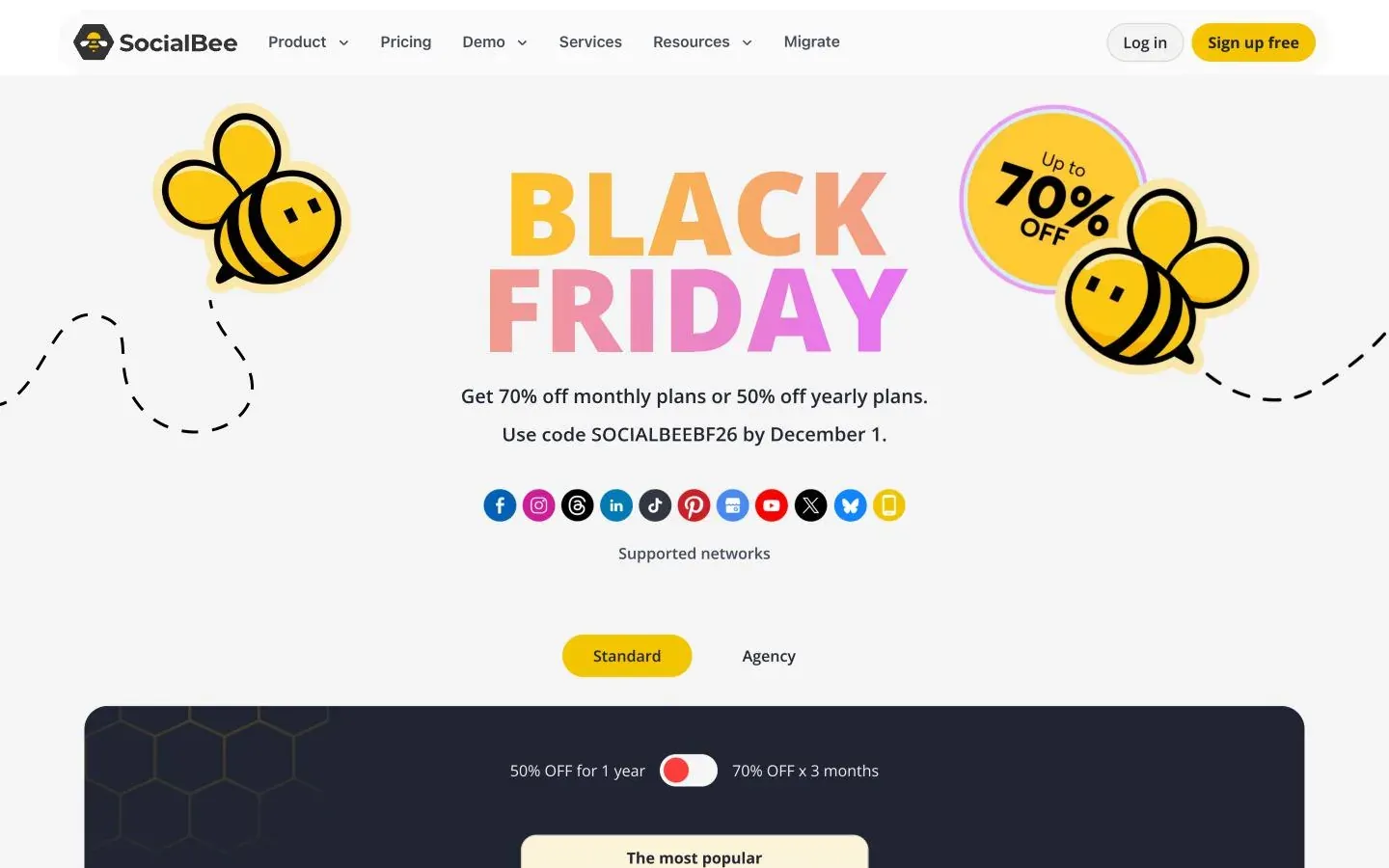
- Black Friday code SOCIALBEEBF26 before December 1: 70% off monthly plans for 3 months or 50% off yearly plans (pricing page, read 2026-11-18); Yearly buyers can request a 100% discount code for SocialBee University by email; NGOs: 50% off all tool plans by email; stacks with the 16% yearly discount; only for managing the NGO's own social media accounts; exemption requests by email for unregistered organisations; Education: 50% off all tool plans for registered educational organisations managing only their own accounts; also applies to annual plans and stacks with the 16% yearly discount
- Refunds
- 30-day money-back guarantee on monthly and yearly plans, within 30 days of the initial purchase only, not renewals; no refunds after that period (Terms of Service). The pricing page header no longer shows the guarantee (2026-11-18)
- Cancellation
- Cancellations take effect at the end of the billing cycle, monthly or yearly (Terms of Service); pricing FAQ: no contracts, upgrade, downgrade or cancel at any time
- Currencies
- USD
Sources: socialbee.com, socialbee.com, socialbee.com, socialbee.com
Security and compliance
- GDPR
- Privacy policy cites GDPR legal bases and Article 32 measures; WebPros US entity under EU-U.S. Data Privacy Framework with DPA and SCCs; WebPros DPO in Schaffhausen
- Two-factor login
- Optional second-factor authentication for accounts (privacy policy)
- Data location
- Not stated for customer content; privacy policy lists WebPros entities in 11 countries, hosting provider not named
- Status page
- https://status.socialbee.com/ (linked as Status in the pricing page footer; renders by JavaScript, so its content was not read)
Sources: socialbee.com, status.socialbee.com, socialbee.com
Support and onboarding
- Support channels
- Live chat; Email; Small group demos; Technical assistance calls; Live webinars; Knowledge base
- Help centre
- https://help.socialbee.com/hc/en-us
- Training
- SocialBee University (free code available to yearly buyers); live webinars
- Onboarding
- Demos and technical assistance calls listed
Sources: socialbee.com, socialbee.com
About the company
- Company
- SocialBee LABS SRL
- Founded
- 2016
- Headquarters
- Cluj-Napoca, Romania
- Ownership
- Part of WebPros (acquired August 2024); privacy policy names WebPros International GmbH, Schaffhausen, Switzerland as group entity handling data subject requests
- Team size
- Not stated now; about page gives history: 9 people in 2019, 25 core team members plus 50+ concierge freelancers in August 2021
Sources: socialbee.com, socialbee.com
What review sites show
Scores and counts as the review site displays them on the date shown. They are other people's ratings, not ours.
| Site | Score | Reviews | Checked |
|---|---|---|---|
| Trustpilot | 0 | 2026-10 |
Limits the vendor documents
- Bootstrap plan lacks CSV uploads, hashtag organizer, bulk editor, advanced analytics and post approval(socialbee.com)
- Accelerate lacks internal notes; Pro and agency plans have them(socialbee.com)
- Facebook Groups, Mastodon, Quora, Telegram, Reddit and WhatsApp use Universal Posting (reminders), not direct publishing(socialbee.com)
- TikTok direct posting is one MP4 or MOV under 3 minutes and 50 MB; multiple videos and image posts use Reminders(socialbee.com)
- Reels auto-publish only for Instagram Business; Creator and Personal accounts get mobile reminders(socialbee.com)
Pages read for this profile (24)
- https://socialbee.com/pricing/
- https://socialbee.com/about-us/
- https://socialbee.com/features/
- https://socialbee.com/social-media-posting-tool/
- https://socialbee.com/social-media-analytics/
- https://www.trustpilot.com/review/socialbee.com
- https://socialbee.com/instagram/scheduler/
- https://socialbee.com/instagram-post-scheduler/schedule-reels/
- https://socialbee.com/blog/how-to-schedule-instagram-reels/
- https://socialbee.com/blog/how-to-schedule-first-comment-on-social-media/
- https://socialbee.com/facebook-post-scheduler/
- https://socialbee.com/universal-posting/
- https://socialbee.com/tiktok-post-scheduler/
- https://socialbee.com/integrations/
- https://socialbee.com/privacy-policy/
- https://socialbee.com/terms-of-service/
- https://socialbee.com/ngo/
- https://socialbee.com/education/
- https://socialbee.com/twitter-post-scheduler/
- https://socialbee.com/pinterest-scheduler-tool/
- https://socialbee.com/threads-post-scheduler/
- https://socialbee.com/bluesky-post-scheduler/
- https://socialbee.com/google-business-profile-scheduler/
- https://status.socialbee.com/
Pick SocialBee if
Pick SocialBee if you are a solo operator, small business or small agency that wants a library of evergreen posts that recycle on a schedule, and you are happy to automate through Zapier or Make. Skip it if you need a public API, a free plan or compliance paperwork such as SOC 2 and SSO, none of which I found. Also skip it if you need Reels from a Creator account to publish automatically, or rely on TikTok image posts publishing without a phone reminder.
Questions people ask
Does SocialBee have a free plan?
No. Every plan has a 14-day free trial, and posting stops when the trial ends.
How much does SocialBee cost?
Monthly rates are $29 (Bootstrap), $49 (Accelerate), $99 (Pro), $179 (Pro50), $329 (Pro100) and $449 (Pro150). Annual equivalents are $24.17, $40.83, $82.50, $149, $274 and $374.
How many users does SocialBee include?
Bootstrap and Accelerate include 1 user. Pro includes 3 users per workspace, and the agency tiers include 5. An extra user is $10 per month or $100 per year.
Does SocialBee have an API?
No public API. The help center says it is on a long-term roadmap, and automation runs through Zapier, Make or Pabbly.
Alternatives
Tools for a similar audience that share the most networks with SocialBee.
How we checked
Annual equivalents for Bootstrap, Accelerate and Pro are calculated from yearly totals ($290/$490/$990). Agency plans (Pro50, Pro100, Pro150) show no yearly total, so their annual figures are the per-month amounts as shown on the yearly toggle ($149.2/$274.2/$374.2; the page's price widget carries a fractional part of .2). The page still shows a promo code (SBDAY2026, 'available until June 10') that looks stale, so it's ignored. Add-ons: an extra user or workspace is $10 a month ($100 a year on yearly plans) and a set of 5 profiles is $15 a month ($150 a year). Mastodon is only available through mobile 'Universal Posting' (manual/notification-based), so it's excluded. The help center says there is no public API (on the roadmap); automation runs through Zapier, Make or Pabbly. AI Copilot is included on all plans. Re-checked 2026-11-14: no price changes; monthly prices ($29/$49/$99/$179/$329/$449), yearly totals, the agency yearly-toggle figures, profile/user/workspace limits, the ten direct-posting networks and the 14-day trial are unchanged.