Publer review 2026: per-account pricing, plans and limits
Updated 17 Nov 2026 · prices checked 9 Nov 2026 · source
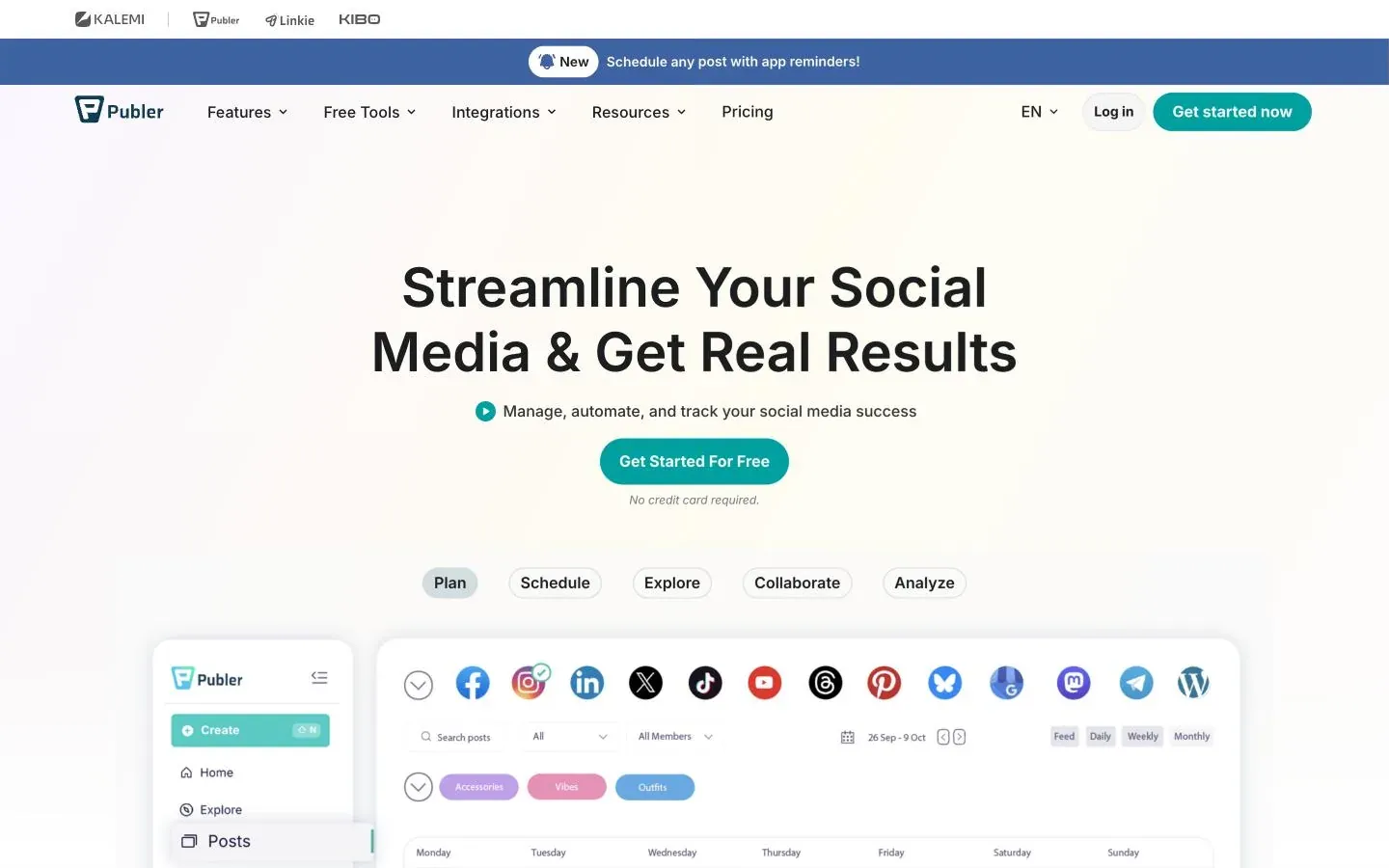
Publer is a good fit for solo creators, small businesses and small agencies that post to many networks and want to pay only for the accounts they connect. It publishes to 14 networks, including Threads, Bluesky, Mastodon, Telegram, WordPress and Google Business Profile, and its threads composer writes one thread for X, Threads, Bluesky and Mastodon at once. Professional starts at $5 a month for one account ($4 billed yearly) and works out to $4 an account from three accounts, with every 10th account free. The catch is the plan line: analytics, best times to post, recycling, recurring posts, unlimited AI and the API and MCP server are all on Business ($10 for one account, $7 an account from three), and X needs a paid plan. Paid plans also cap posts per profile per day, for example 12 LinkedIn profile posts on Professional. There is no shared inbox on the pricing page, Facebook personal profiles and Groups post only through a phone reminder, and Instagram Stories publish directly only from Business accounts. Use the 7-day (Professional) or 14-day (Business) trial, and note the 14-day refund on every web payment.
Solo creators, freelancers, small businesses and small agencies with a handful to a few dozen accounts across many networks, including Bluesky, Mastodon, Threads and Telegram, who want per-account pricing, a usable free plan and, on Business, an API and MCP server.
Teams that want one flat price for many accounts, anyone who needs a shared social inbox or listening, X users who want a free plan, high-volume publishers who would hit the per-profile daily caps, and teams that rely on posting to Facebook personal profiles or Groups without a phone.
What it really costs
Typical setups, priced from Publer's own pricing page. Taxes not included.
| Setup | Plan | Monthly billing | Annual, per month |
|---|---|---|---|
| Trying it out: up to 3 accounts, no X1 user, 1 workspace, 3 social accounts (X can't be connected), 10 scheduled posts per account at a time, 25 saved drafts and a 24-hour post history. Pinterest accounts need at least 100 followers or a claimed website on the free plan. | Free | $0 | $0 |
| Solo creator, 1 accountThe help center gives the $5 starting price and a 20% yearly discount; $4 a month and $48 a year are computed from those. Adds X, unlimited scheduling and drafts, unlimited workspaces, media storage and RSS automations, first comments and threads, bulk scheduling and eternal post history. | Professional, 1 account | $5 | $4 |
| Solo creator or small business, 5 accounts including XComputed with the pricing page's calculator code: from 3 accounts every account is $4 a month, so 5 x $4 = $20, or $16 a month ($192 a year) with the 20% yearly discount. No analytics, best times, recycling or recurring posts on this plan. | Professional, 5 accounts | $20 | $16 |
| Small business, 5 accounts, with analytics, recycling and unlimited AIComputed: from 3 accounts every account is $7 a month, so 5 x $7 = $35, or $28 a month ($336 a year) billed yearly. Adds analytics and reports, best times to post, competitor analysis, hashtag analytics, recycling, recurring posts, Spintax, unlimited AI prompts and the API and MCP server. | Business, 5 accounts | $35 | $28 |
| Small agency, 10 client accounts and 2 teammatesComputed: the 10th account is free, so 9 x $7 = $63, plus 2 members x $3 = $6, for $69 a month; with 20% off yearly, $55.20 a month ($662.40 a year). The plan owner is included and doesn't count as a member. | Business, 10 accounts, 2 additional members | $69 | $55.20 |
Pros and cons
Each point says how we know it: from Publer's own documentation, or from a hands-on test with its date.
Pros
- Publishes to 14 networks: Facebook, Instagram, TikTok, X, Threads, LinkedIn, Pinterest, Mastodon, Google Business Profile, YouTube, Telegram, Bluesky and hosted or self-hosted WordPress. Documented · source
- The free plan is usable for a small setup: 3 social accounts, 10 scheduled posts per account at a time, 25 saved drafts and no limit on posting right away. Documented · source
- Paid plans are priced per account and per additional member, the owner is included, and every 10th account or member is free, so a small setup pays a small bill. Documented · source
- Threads can be written for X, Threads, Mastodon and Bluesky, with up to 25 posts per thread on Threads, Bluesky and Mastodon, and first comments are scheduled on Professional and up. Documented · source
- Business includes a REST API and an MCP server at mcp.publer.com that AI clients such as Claude, ChatGPT and Cursor can connect to with OAuth or a scoped API key. Documented · source
- Every web payment can be refunded in full within 14 days, with a pro-rated refund after that, and paid plans can be paused for 1, 2 or 3 months instead of cancelled. Documented · source
- A Client role can be read-only, posting or full access, limited to assigned accounts, and can be set to approve posts per account. Documented · source
Cons
- X can't be connected on the free plan; Publer says the X Enterprise API cost means it supports X only on paid plans. Documented · source
- Analytics, best times to post, competitor analysis, recycling, recurring posts, unlimited AI and the API and MCP are Business only, at about $7 an account against $4 on Professional. Documented · source
- Paid plans cap posts per profile per day, for example 12 LinkedIn profile posts and 20 Instagram posts and Reels on Professional; only Enterprise has no Publer cap. Documented · source
- Facebook personal profiles and Groups post only through push notifications in the mobile app, with no insights, post sync, Auto-Delete or Auto-Share. Documented · source
- Recycling and recurring posts don't work on X, TikTok, YouTube, Pinterest, Google Business Profile or WordPress unless you write 10 or more Spintax variations. Documented · source
- A post that still waits for approval at its scheduled time is marked as failed rather than published late. Documented · source
- AI Assist is included only on Business; on Free and Professional you connect your own OpenAI key and OpenAI bills you for it. Documented · source
- The free plan stores published posts for only 24 hours; eternal post history starts on Professional. Documented · source
Publer is a social media scheduler priced per connected account: Professional costs $5 a month for one account ($4 billed yearly) and Business $10 ($8), dropping to $4 and $7 an account from three accounts. There is a free plan for 3 accounts that leaves out X, and analytics, recycling and the API are Business features. This review draws on Publer's pricing page and help center, read on 2026-11-17, not on hands-on testing.
Publer pricing and who it's for
Publer suits people who post to many networks with a modest number of accounts: a creator with five profiles, a small business, or a small agency with a few clients. It covers networks many schedulers skip, such as Mastodon, Telegram and WordPress, and it lets you add accounts one at a time. A team that mainly answers comments and messages, or that wants one price for 50 accounts, will be better served elsewhere. For a side by side with the closest per-account rival, see Buffer vs Publer.
How Publer's per-account pricing works
You pick a plan, the number of social accounts and the number of additional members. A social account is one connected profile, page, group or channel: 2 Facebook Pages and 2 Instagram accounts count as 4. The owner is included in the price. For every 9 accounts or members, the 10th is free.
| Accounts | Professional, monthly | Professional, billed yearly | Business, monthly | Business, billed yearly |
|---|---|---|---|---|
| 1 | $5 | $4 | $10 | $8 |
| 2 | $9 | $7.20 | $17 | $13.60 |
| 3 | $12 | $9.60 | $21 | $16.80 |
| 5 | $20 | $16 | $35 | $28 |
| 10 | $36 | $28.80 | $63 | $50.40 |
| 20 | $72 | $57.60 | $126 | $100.80 |
All figures are per month, in USD, before VAT, computed from the pricing calculator's own code on publer.com/plans. That code prices one account at $5 or $10, two at $4.50 or $8.50 each, and three or more at $4 or $7 each, then takes every 10th account off. Additional members are $2 (Professional) or $3 (Business) a month each. The calculator draws its live rates from Publer's account system, which did not load for us, so check the total in the calculator before paying. The help center confirms the $5 and $10 starting prices and the 20% yearly discount; the toggle on the page is labelled "2 months free", which would be closer to 17%.
Enterprise is quoted on request and billed yearly, with higher volume discounts, 1:1 onboarding, prioritized support, no Publer daily post limits and bank or wire transfer payments.
What each plan adds
- Free: 1 user, 1 workspace, 3 accounts other than X, 10 scheduled posts per account at a time, 25 drafts, 24-hour post history, the Linkie link-in-bio integration, and trials of most paid features.
- Professional: X, unlimited scheduling and drafts, unlimited workspaces and media storage, bulk scheduling, unlimited RSS automations, first comments and threads, watermarks for photos, signatures, Auto-Share and Auto-Delete, trending posts and news, an unbranded Instagram link in bio, and eternal post history that also syncs posts published outside Publer.
- Business: analytics insights and reports, best times to post, hashtag suggestions and analytics, competitor analysis, unlimited AI prompts for text and images, recycling, recurring posts, Spintax, video design with VistaCreate, video watermarks, and the Publer API and MCP server.
Is Publer free? Trials, refunds and discounts
The free plan has no end date. Professional has a 7-day trial and Business a 14-day trial, and the pricing page says paid features can be tried without a credit card. After you pay:
- every web payment can be refunded in full within 14 days; after that Publer gives a pro-rated refund and the yearly discount is waived;
- paid plans can be paused for 1, 2 or 3 months, not during a trial;
- charities and nonprofits get 50% off by sending a government document such as a 501(c)(3) letter. The article doesn't say whether this combines with the yearly discount.
Payments go through PayPro Global and Paddle, and VAT is added on top.
Publishing, network by network
Every plan has the calendar with drag and drop, the queue (AutoSchedule), per-network edits to a post, post previews, the Instagram and TikTok feed preview, shortcodes, link shortening and the browser extension. Paid plans add first comments, threads and bulk scheduling of up to 500 posts at once.
Facebook. Pages and Locations publish directly: status updates, links, photos (no limit per post), albums, videos under 5 hours and 2 GB, Reels of 3 to 90 seconds, link carousels of up to 10 slides and GIFs under 4 MB. Stories, up to 60 seconds, are for Pages only. Personal profiles and Groups lost API access, so Publer sends a push notification and you finish the post in its mobile app, with no insights or post sync.
Instagram. Creator and Business accounts, connected through a Facebook Page or directly. Photos and carousels of up to 10 photos (no video in carousels), Reels of 3 seconds to 15 minutes and up to 1 GB, and Stories. Stories publish automatically only from Business accounts; Creator accounts use a reminder. Photos need at least 320 x 320 pixels and must be under 8 MB.
X. Paid plans only. Up to 4 photos under 5 MB, GIFs under 15 MB, videos under 10 minutes and 512 MB, and polls with 25 characters per option. With X Premium, posts can run to 25,000 characters and videos to 120 minutes.
LinkedIn. Personal profiles and Company Pages: up to 20 photos, videos of 3 seconds to 15 minutes and 2 GB, PDF carousels of up to 100 photos, built from photos or PPT, PDF and DOC files, and text polls. Articles are not supported; Publer says it aims to add them in 2026.
TikTok. Videos of 3 seconds to 10 minutes, up to 2 GB, and photo carousels. The same help entry gives the carousel limit as both 35 and 10 photos, so plan for 10.
YouTube. Videos up to 12 hours and 2 GB, and vertical Shorts up to 3 minutes. Publer notes that Shorts longer than a minute may take a week to appear as Shorts.
Pinterest. Single photo Pins, carousels of up to 5 photos and videos of 4 seconds to 15 minutes, up to 2 GB. On the free plan, only accounts with at least 100 followers or a claimed website can be connected.
Google Business Profile. Updates, events and offers with one photo between 10 KB and 5 MB. Video and multi-photo posts are not supported.
Threads, Bluesky and Mastodon. Threads takes up to 20 photos and videos up to 5 minutes and 1 GB; Bluesky up to 4 photos (compressed to 1 MB) and videos up to 3 minutes and 100 MB, once your Bluesky email is verified; Mastodon up to 4 photos under 8 MB, videos under 99 MB and polls. On all three you can build threads of up to 25 posts, and neither Threads nor Bluesky accepts GIFs. Some Mastodon servers restrict automation.
Telegram and WordPress. Telegram groups and channels take text, links, up to 10 photos under 10 MB, and videos and GIFs under 50 MB. WordPress articles go to hosted and self-hosted sites.
Publer daily post limits
Paid plans have unlimited scheduling, but Publer caps how many posts each profile can publish in a rolling 24 hours, counted in UTC. The pricing page lists these caps:
| Posts per profile per day | Free | Professional | Business |
|---|---|---|---|
| Facebook posts and Reels | 12 | 24 | 36 |
| Instagram posts and Reels | 15 | 20 | 25 |
| Instagram Stories | 15 | 20 | 25 |
| Threads | 150 | 200 | 250 |
| TikTok videos | 15 | 20 | 25 |
| X, Mastodon and Bluesky (each) | 25 | 50 | 100 |
| LinkedIn profile posts | 10 | 12 | 14 |
| LinkedIn Page posts | 12 | 18 | 24 |
| Pinterest Pins | 12 | 24 | 36 |
| Google Business updates | 5 | 10 | 15 |
| YouTube videos and Shorts | 5 | 10 | 15 |
| WordPress articles | 12 | 18 | 24 |
| Telegram messages | 5 | 10 | 15 |
Enterprise has no Publer cap, though the networks' own limits still apply. Publer says it can waive the caps on paid plans for specific cases, such as news media companies and verified government agencies.
Planning, team and approvals
Planning runs through the calendar, the queue and drafts. Drafts with a date show in the calendar, the free plan keeps 25 at a time, and paid plans have no draft limit. Workspaces keep each brand or client apart: one on Free, unlimited on paid plans.
Roles are set per workspace:
- Owner: one per workspace, not transferable; sees billing and can require two-factor authentication for everyone.
- Admin: manages Editors and the settings of assigned accounts, and approves posts.
- Editor: creates posts with full posting access or with Admin approval.
- Client: read-only, posting or full access, limited to assigned accounts, and can be set to approve posts per account.
A post waiting for approval goes to Pending Approval, and the approver gets a notification or email. If nobody approves it before its scheduled time, it is marked as failed. The plan pages disagree on where approvals start: the pricing page's comparison table ticks approval workflows on Professional, while both plan articles in the help center list post approval workflows as a Business feature. Test approvals in the trial of the plan you intend to buy.
Analytics and reporting
Analytics are a Business feature on the pricing page. They cover followers, reach, video views, engagement, link clicks, best times to post and hashtag performance, and competitor analysis lets you track other accounts. Publer refreshes metrics every 24 hours for posts from the last 7 days, and a manual Sync Insights reaches back up to three years.
Reports export as PDF or Excel/CSV, for one account or a whole workspace, and PDF reports can be sent to your email automatically. Facebook Groups and personal profiles have no insights. The pages read describe no white-label or branded reports.
Publer API, AI and integrations
The API. Business customers in good standing and Enterprise customers get the Publer API; Publer says it does not offer a public API open to everyone. The documentation describes a token sent as Authorization: Bearer-API, keys with scopes, and a limit of 100 requests per 2 minutes per user.
MCP. The MCP server at mcp.publer.com is on Business and Enterprise. It connects AI clients such as Claude, ChatGPT and Cursor with OAuth, or with an API key whose scopes (Workspaces and Accounts by default, plus Posts, Media or Analytics) set what the assistant can do.
AI. AI Assist writes, rephrases and completes posts, comments, signatures and alt text, and generates images. It is unlimited on Business. On Free and Professional you connect your own OpenAI key and pay OpenAI for the usage. Replies are capped at about 1,300 characters, except for WordPress.
Integrations. Zapier on every plan, with triggers for drafts, ideas, posts and workspaces; Canva; VistaCreate on Business; media imports from Google Drive, Dropbox, OneDrive and Unsplash; link shorteners including Bitly, Rebrandly, Switchy, JotUrl, RocketLink, PixelMe and RetargetKit; and Linkie for link in bio. There are iOS and Android apps, which handle the reminder-based posts.
Publer limits and gotchas
- The bill grows with every account. Professional is $4 an account a month from three accounts and Business $7, plus $2 or $3 per extra member. At 20 accounts on Business that is $126 a month before members.
- X needs a paid plan. The free plan can't connect X at all.
- Daily caps per profile. Even paid plans stop at, for example, 12 LinkedIn profile posts or 10 YouTube uploads a day on Professional.
- Reminder-only Facebook routes. Personal profiles and Groups need the mobile app to finish each post.
- Evergreen has gaps. Recycling and recurring posts skip X, TikTok, YouTube, Pinterest, Google Business Profile and WordPress unless a post has 10 or more Spintax variations.
- Late approvals fail. An unapproved post at its scheduled time is marked failed, not held.
- Free history is short. Published posts are stored for 24 hours on the free plan.
- No inbox. The pricing page lists scheduled comments and AI comment replies, but no shared inbox for comments and messages.
- The vendor's pages disagree in places. Approvals sit on Professional in the pricing table and on Business in the help center; one help article says Professional and Business start from 3 accounts while the pricing articles start at 1; and the supported networks article lists Instagram Business accounts only, while the pricing page and the Instagram connection article accept Creator accounts too.
Alternatives worth a look
- Buffer: also priced per channel with a free plan for 3 channels; Team is $10 per channel a month billed yearly with unlimited users.
- Postiz: 5 channels with an API, MCP and webhooks on Standard for $23 a month billed yearly, including Mastodon.
- SocialPilot: 15 accounts, 3 users, an inbox, analytics and approvals on Standard for $42.50 a month billed yearly.
- Metricool: a free plan for 1 brand, and Starter from $20 a month billed yearly for 5 brands.
- RecurPost: evergreen recycling priced per account; Starter has 2 accounts for $7.50 a month billed yearly.
- PlanPost: a free plan for 2 accounts, and unlimited accounts and posts on Pro at $39 a month ($33.25 billed yearly), with an API and MCP server; 7 networks, without Pinterest, Bluesky, Google Business Profile or Mastodon.
What users report elsewhere
Recurring themes on public review sites and forums, summarised and linked. These are other people's experiences, not our tests, and we don't turn them into a score.
- GetApp: GetApp's summary (page marked Last updated: October 2026) says reviewers like easy scheduling across platforms, the calendar, bulk scheduling, managing many accounts in one place, flexible per-account pricing, the free plan and responsive support by chat or Messenger. The drawbacks it lists are analytics, automation and customization that are thinner than larger competitors, pricing that gets confusing or steep as users and accounts are added, a restrictive free plan and lower tiers, and some confusion with billing and navigation at first. Read 17 Nov 2026 · open
- Software Advice: The ten reviews shown on the profile (September to November 2026) praise cross-posting from one place, scheduled comments, the media library, value for money and fast support, and two mention running content through the API and MCP. Complaints are a cost that grows with each account, the MCP server being limited to Business, an interface some find laggy or in need of refinement, clients not seeing sections they should, YouTube comment replies that didn't send, and 5 posts per bulk upload on the free plan. One reviewer discloses that Publer offers a recurring subscription discount for submitting a review. Read 17 Nov 2026 · open
Questions people ask
How much does Publer cost?
In USD, before VAT: Professional is $5 a month for one social account and Business $10. Two accounts cost $9 or $17 a month, and from three accounts each account is $4 (Professional) or $7 (Business), with every 10th account free. Each additional member is $2 or $3 a month, and the owner is included. Yearly billing takes 20% off, so one account is $4 or $8 a month. Enterprise is a custom quote, billed yearly. The two-account and per-account figures come from the calculator code on Publer's pricing page; run the calculator with your own counts before you buy.
Is Publer free?
Yes, there is a free plan with no time limit: 1 user, 1 workspace, 3 social accounts other than X, 10 scheduled posts per account at a time, 25 saved drafts and a 24-hour post history. Paid plans have free trials, 7 days on Professional and 14 days on Business, and the pricing page says no credit card is needed to try paid features.
Does Publer have an API?
Yes, for Business customers in good standing and Enterprise; Publer says it has no public API open to everyone. Requests use an API key with scopes, and the documented rate limit is 100 requests per 2 minutes per user. The MCP server is on the same plans.
Publer vs Buffer: which costs less?
Both charge per connected account and both have a free plan for 3 accounts, but Publer's leaves out X. For 5 accounts, Publer Professional works out to $20 a month ($16 billed yearly) against $30 ($25 yearly) on Buffer Essentials, computed from each tool's per-account rate. Buffer's Team plan includes unlimited users; Publer charges $2 or $3 a month per extra member.
Sources
- Publer: Plans and pricing (plan cards, comparison table, networks and daily post limits)
- Publer Help: What are Publer's plans and pricing?
- Publer Help: Professional vs Business vs Enterprise plans
- Publer Help: What post types are supported and what are their limitations?
- Publer Help: What social networks are supported?
- Publer Help: What social accounts support recurring or duplicate content?
- Publer Help: How to connect Facebook personal profiles
- Publer Help: How to connect Facebook Groups
- Publer Help: How to connect Instagram accounts
- Publer Help: What are the different member roles and permission levels?
- Publer Help: What are the post approval access levels?
- Publer Help: How often are the analytics refreshed?
- Publer Help: How to download your analytics reports
- Publer Help: What is the Publer AI Assist?
- Publer Help: Does Publer have a public API?
- Publer Help: How to set up and use Publer's MCP server
- Publer API documentation
- Publer Help: How to connect to Zapier
- Publer Help: What is the refund policy?
- Publer Help: How to pause my Publer subscription
- Publer Help: Discount for charities and non-profit organizations
- Publer Help: What are the daily post limits?
- GetApp: Publer
- Software Advice: Publer